
- Academics
- Admissions
- Enrollment & Registration
- Research
- Academic & Creative Spaces
- Strategic Partnerships
- Our Impact
- Student Affairs
- Alumni
- About VCUarts Qatar
- Community & Continuing Education
ADMISSIONS FOR FALL 2025 NOW OPEN

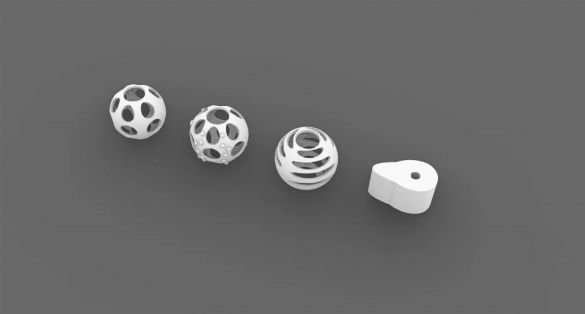
Blender Animation Crash
About this class
This series of workshops will help participants with no prior experience in 3D modeling
and animation learn to create their own unique, simple animations within the free 3D
software, Blender.
Learning Outcomes:
- Participants will be able to create, import and modify meshes in Blender
- Participants will learn how to import materials into Blender from free online
sources - Participants will be able to set up basic lighting for 3D scenes
- Participants will be able to create animations using transform, rotate and scale
commands
Class Outline
Session 1: Introduction & Setup
- Overview of Blender as a software tool
- Installation and initial configuration
- Setting up preferences to optimize workflow
- Introduction to core concepts: objects, scenes, and object types
Session 2: Mesh Modeling – Part 1
- What meshes are and how they function
- Introduction to Edit Mode
- Basic mesh editing tools
- Overview of common modifiers
Session 3: Materials
- Understanding how materials work in Blender
- Creating and customizing new materials
- Overview of key material parameters
- Importing existing materials and where to find them
- Applying materials to mesh objects
Session 4: Practical Workshop
- Create a simple household or desk object in Blender
- Apply materials to the model
- Class discussion and feedback
- Exploring how different end uses influence modeling (e.g., animation, 3D printing, game design)
Session 5: Composition
- Adding and positioning a camera
- How 3D cameras emulate real-world cameras—and how they differ
- Adding and adjusting lights
- Understanding light types and their behavior
- How lighting interacts with materials
- Basic principles of lighting for 3D scenes
Session 6: Animation Principles
- How motion can convey character or narrative
- Fundamental rules of animation
- Adding animation to objects in Blender
- Introduction to animation curves and their meaning
Session 7: Rendering & Compositing
- Rendering still images or animations from Blender
- Applying basic post-processing using the compositor
- How different render settings affect speed and quality
Materials/Equipment needed
VCUarts Qatar reserves the right to cancel any class that does not meet the required number of enrolled participants. All fees paid will be fully refunded in such cases.
Please do not purchase any course materials until you receive final confirmation that the class will run.
- Participants must have access to a personal computer or laptop to complete the course. If you do not let the team know in order to provide you with one.
- No previous experience in 3D modeling or animation is required; however, basic computer proficiency is expected.
- Occasionally, additional materials may be required. If so, the instructor will provide guidance on what to buy and when to bring it.
Schedule
Start:
End:
Lessons: 7
Days:
Time: 5:30 – 7:30 pm
Location: VCUarts Qatar Campus
Cost: QAR 950